Antigravity CLI and OpenCode 2
Gemini CLI has a successor, and OpenCode has a second major version. Both arrived as closed or rewritten programs with their own rules, and both needed their own way in.
NeuroSquad 0.1.283 brings two changes to the agent CLIs it runs. Antigravity CLI — Google’s agy, the successor to Gemini CLI — joins with the full integration and takes Gemini CLI’s place in the add-card menu, the setup wizard and templates. And OpenCode 2, a new implementation behind the same opencode command, now works in cards next to OpenCode 1.x. The app still runs 22 agent CLIs. This is a Windows release; the Mac app stays on 0.1.230 for now and gets both with its next build.
Antigravity CLI, in Gemini CLI’s place
Google closed Gemini CLI to individual accounts in June and points its users to Antigravity CLI. For NeuroSquad that meant a new integration, not a rename: agy is a single closed-source binary, so everything the card does was learned from Google’s documentation, the CLI’s changelog, its own help and live probes. As with every CLI before it, the work went row by row through the checklist of what the app does for Claude Code — Antigravity’s document has 45 rows, each marked native, adapted or impossible.
The core of it is one mechanism. Antigravity keeps everything under ~/.gemini and offers no variable to move its hooks or MCP settings, but the binary accepts a directory of its own at launch. So every card runs with its own Antigravity folder: settings made of yours plus the card’s layer, hooks and MCP servers made of yours plus NeuroSquad’s, and everything else — conversations, transcripts, plugins, skills — linked to your real folder, which is never written. A conversation started in a card can be continued from a plain terminal and back.
On top of that comes what makes it a full card. Statuses come from Antigravity’s own hooks and the state it reports for its window title: working, needs input with the command or question it waits on, finished — and a turn stays open while its subagents are still reporting. Conversations resume after a restart. The app’s MCP tools arrive by arrow and are re-listed live; connected MCP servers are asked for on every call. Escape interrupts (Ctrl+C is its exit key). Usage, Run Stats and Agent Pulse read its transcript, subagents included, and the card shows a context chip and a quota chip. The model and CLI switch, templates, and plugin context for Caveman, Memory, Context7 and Graphify all work through the same hooks.
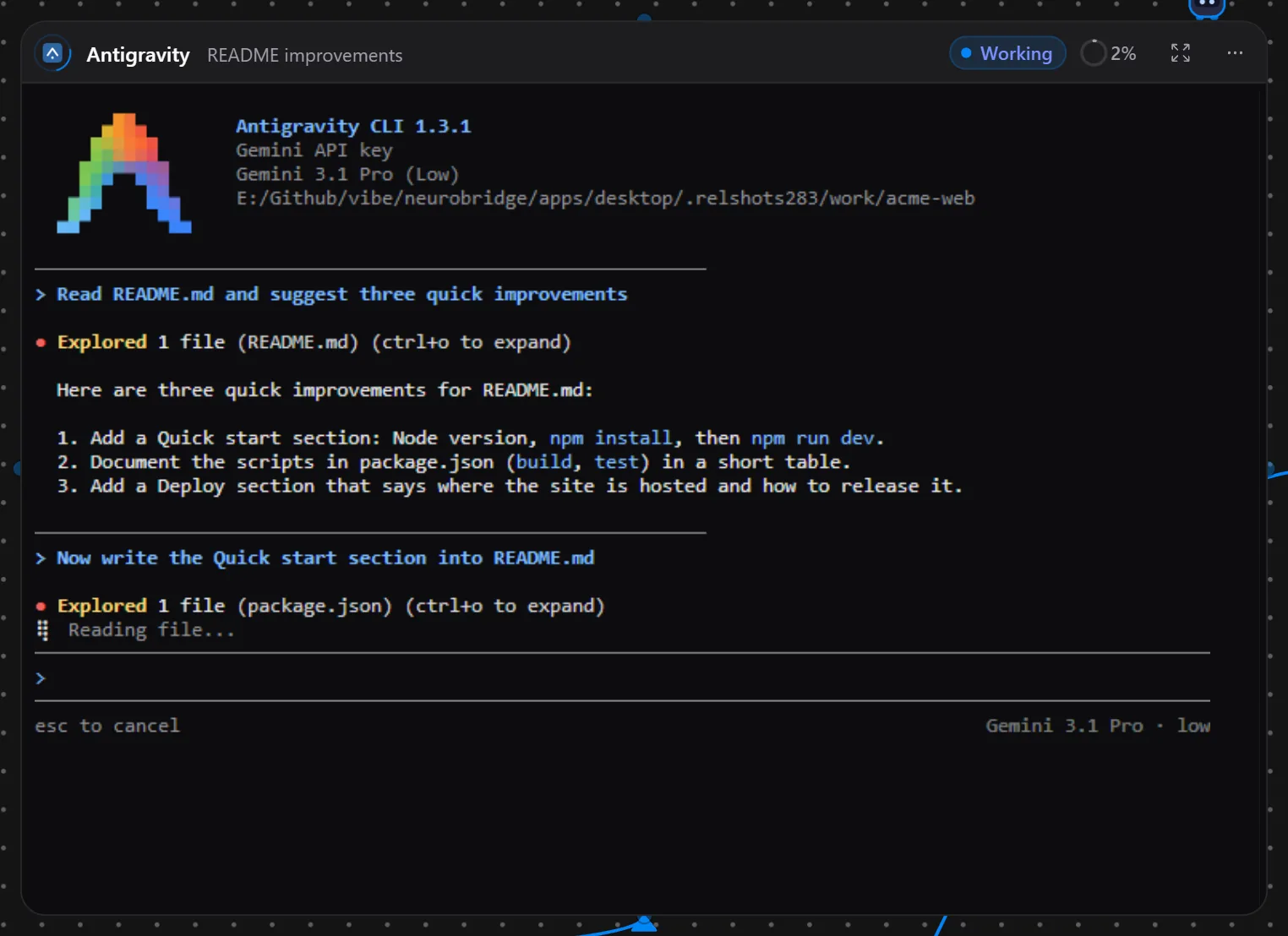
Some rows stay empty, and the document says why. Antigravity reads neither its settings nor a hook’s approval while it runs, so dangerous mode applies when the card restarts (with the same conversation). There is no Compact button and no RTK, and Antigravity cards don’t run in WSL or SSH workspaces yet. Install it from the setup wizard.
Gemini CLI cards: one press to move
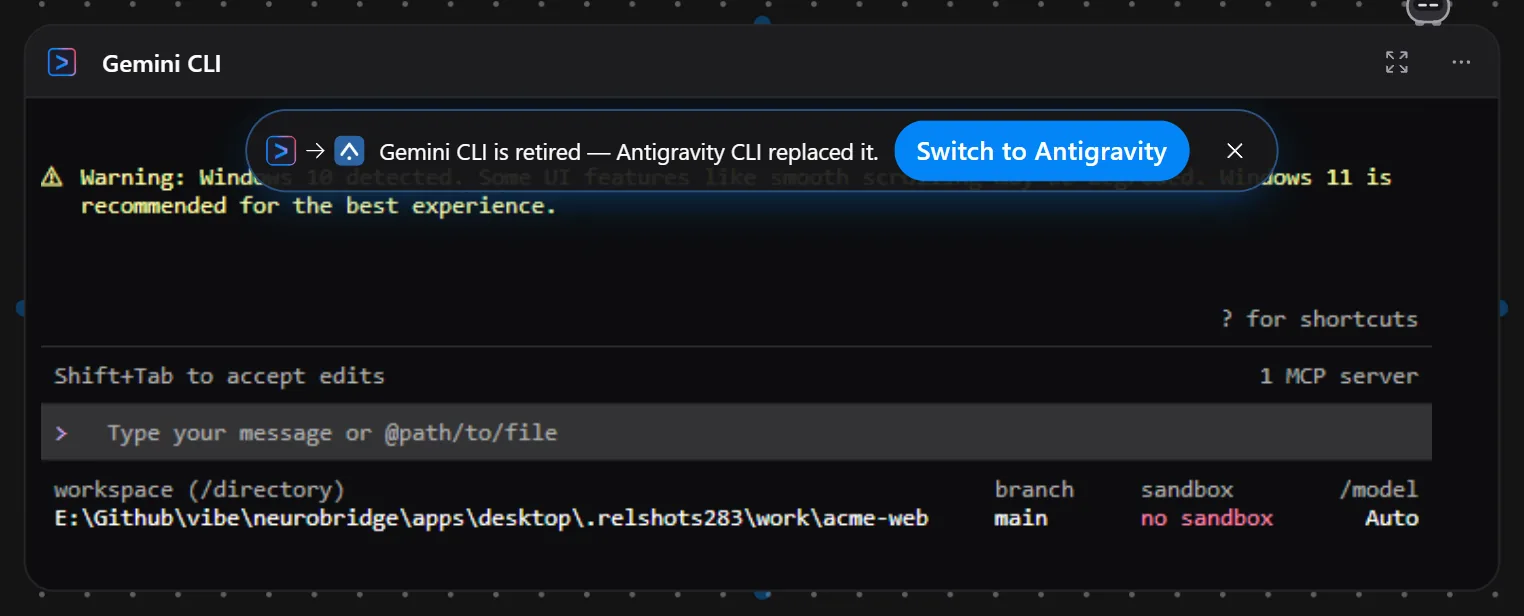
Gemini CLI is no longer offered for new cards, but nothing you already have stops working: existing Gemini CLI cards launch exactly as before, now labelled Gemini CLI (legacy). Each shows a small note with Switch to Antigravity — one press runs the harness switch in place and carries the conversation’s context into the new Antigravity session; if a turn is running, the switch waits for it to end. Templates that contain Gemini CLI cards import them as Antigravity CLI cards, and the import dialog says so.
OpenCode 2, next to 1.x
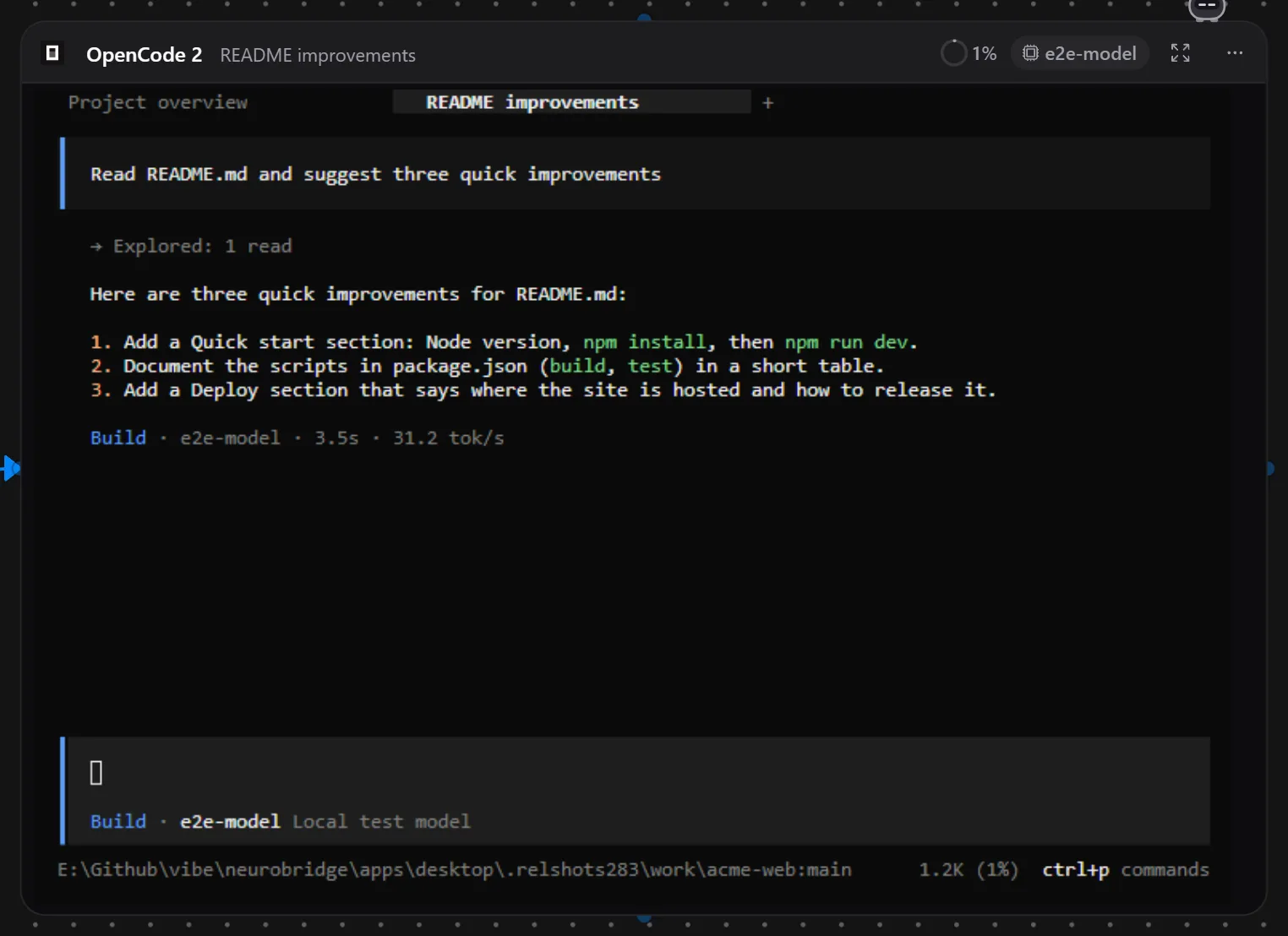
OpenCode 2 is a separate implementation behind the same command, with a new plugin API, a new config schema and its own session tables. Its official instructions still install 1.x, so both will be on people’s machines for a while. A card now asks the binary it is about to start for its version and picks the launch to match — 1.x runs exactly as before, and a 2.x you installed yourself is used as it is.
On 2.x several things got better than on 1.x. Dangerous mode switches live: the NeuroSquad plugin answers OpenCode’s own permission check, so turning it on or off applies to the next question without a restart. The app picks the session id before the first turn — OpenCode 2 creates a session under an id it is given — so the card knows its session from the start and never has to recover from a missing one. A model change made by you or a lead agent applies to the same session. The app’s tools appear live as you draw arrows. And requests to OpenRouter carry NeuroSquad’s attribution also when you use your own OpenRouter login, which OpenCode would otherwise send as its own.
How it was tested
Both CLIs were installed into scratch folders, never globally, and driven by a separate copy of the app with its own profile, a scratch home folder and scripted model servers on the loopback interface — no one’s real login or config was read. For Antigravity that meant its API-key mode pointed at a scripted Gemini-API server, and a second card going through the app’s gateway to a custom provider; the run passed all 51 checks, and the files in the scratch ~/.gemini were byte-identical afterwards. OpenCode was run twice through the same 60 checks, once on 2.0.24 and once on 1.18.32. Usage was compared with the model servers’ own logs, request by request. The screenshots in this post come from the same kind of setup.
Each CLI has its own page: Antigravity CLI and OpenCode, with setup details in the docs. The full list of changes is in the 0.1.283 changelog. NeuroSquad updates itself; a new install starts from the download page.