nsq 0.2.0: it updates itself, reaches your phone from anywhere, and runs on your own models
Three things in this release: nsq keeps itself up to date and switches over only when no agent loses anything, --online takes the phone page out of your Wi-Fi, and nsq provider add puts agents on your own model servers.
nsq 0.2.0 is out — the open-source terminal version of NeuroSquad. The first release was about knowing which agent needs you. This one is about the rest of the day: nsq now keeps itself current, the phone can reach your agents when you are not at home, and agents can run on a model server of your own instead of a cloud login.
npm i -g neurosquad@latest      # once, from 0.1.x; after that nsq does it itself
nsq phone on --online           # the phone page from anywhere (experimental)
nsq provider add lmstudio --url http://localhost:1234
nsq run claude --provider lmstudio --model qwen/qwen3-coder-30b
It updates itself — between turns
The daemon owns the agents’ terminals, so restarting it ends their processes. That is why an update here cannot just be “download and restart”. nsq splits it into three steps.
- Check. Every six hours the daemon asks the npm registry about the
neurosquadpackage — one request for its public metadata, with an ETag. Nothing about you or your machine is sent: no ids, no tokens, no usage. - Install. A new release is installed in the background the way you installed nsq: npm into the same folder, Homebrew or Scoop. With npx, pnpm, yarn or anything else nsq only shows the command to run. It never uses sudo; when the npm folder is not writable it says so and shows the command. With Homebrew only nsq is upgraded, although Homebrew may upgrade
nodealong with it when the formula needs a newer one. - Switch. The daemon restarts onto the new version only when nothing is lost: no agent is working, needs you or has prompts queued, every running agent can resume its session, no dashboard or phone is open, and nobody has typed into an agent for five minutes. The restart is the same as
nsq down+nsq up, so the agents come back on their sessions.
Before it switches, nsq starts the new version once and asks it for its version. If that fails, the old daemon and every agent keep running, and the dashboard says why. A broken release costs you a line in the header, not your agents.
In the dashboard the header shows what is going on — update 0.2.0 → x.y.z, installing…, updated to x.y.z · U restart — and U switches now, waiting for busy agents first. nsq update installs by hand, nsq update --check only looks. nsq config set autoUpdate notify keeps the news but never installs, nsq config set autoUpdate false (or NSQ_NO_UPDATE=1) stops checking, and nsq never checks in CI or from a source checkout.
Your phone, away from home
Until now the phone page worked on the same Wi-Fi. nsq phone on --online makes it reachable from anywhere through a Cloudflare quick tunnel: no account, nothing opened on your router, real HTTPS. nsq prints a warning, the link with the pairing token, and its QR code.
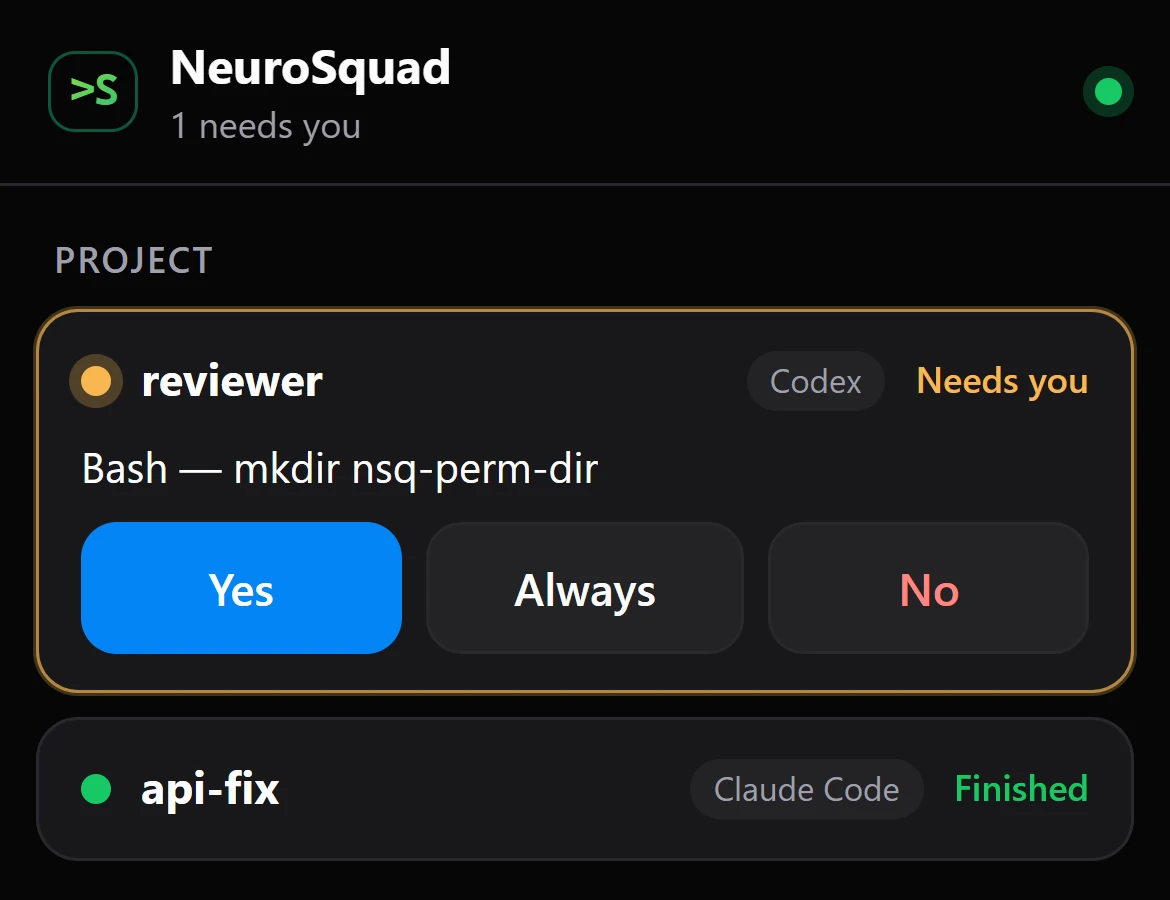
Anyone with that link could control your agents, so going online is deliberate every time and hard to miss:
- It is never switched on by itself. A quick tunnel gets a new address on every start and is not brought back after a restart, so you pair again.
- Through the tunnel, plain
http://is refused, and five wrong tokens from one address lock it out for 15 minutes. - The dashboard shows a red ONLINE badge, phones that came in from the internet are marked
(internet), and O switches online off again (ornsq phone off). --expire 12hmakes phones pair again after twelve hours. With a Cloudflare account, a named tunnel keeps one address of your own; its token stays in the OS keyring.cloudflaredcomes from yourPATH, or nsq downloads Cloudflare’s official release into its own folder and checks it against the published sha256 digest — nothing is installed system-wide.
What a phone can do has not changed: see the agents and their screens, answer a permission prompt, send a prompt, interrupt. It still cannot start agents, type arbitrary keys or read files. Phone access stays experimental and off by default.
Agents on your own model servers
Besides OpenRouter, an agent can now run on a server you run: llama.cpp, Ollama, LM Studio, vLLM, SGLang, Unsloth Studio, or any remote API that speaks the OpenAI API or Anthropic’s Messages API. Per agent, without touching the CLIs’ own configuration or logins.
nsq provider add ollama --url http://localhost:11434
nsq run codex --provider ollama --model qwen3-coder:30b
nsq set api-fix --provider none --model none # back to the CLI’s own login- You never pick the API.
nsq provider addtests the server first: it lists the models and finds which endpoints it has. Claude Code is offered a server with Anthropic Messages, Codex one with Responses, OpenCode one with chat completions or Messages. When a server only has chat completions, Codex goes through a small local gateway that translates for it. - The context window travels. When the server’s model list says how large a context it serves, each CLI is told, so a long session compacts before the server’s window is full instead of failing.
- The key stays out of sight. It is optional, typed without echo or piped in — never a command-line argument — kept in the OS keyring, and handed only to the agent’s environment. Plain
http://is allowed only on this machine and your local network, and redirects are never followed. - No silent fallback. If the server is gone, the agent does not start rather than falling back to the CLI’s cloud login.
- No made-up prices. nsq cannot know what your server costs, so its requests show “no price” in
nsq cost, never $0.
In the dashboard, P opens the Providers screen, the New agent form (c) has a Provider choice, and m lists the models of the agent’s server. The guide has a table of the local servers and which API each one serves.
Also since 0.1.0
- Push to the phone through ntfy (0.1.1):
nsq phone push ntfysends “needs you” with the agent’s question to the ntfy app, from the public ntfy.sh server or your own. - OpenRouter model picks fixed (0.1.2): choosing a model with m now switches the agent to OpenRouter, and the agent restarts on the same session once it is idle, so the conversation is kept.
Getting it
On 0.1.x, update once by hand: npm i -g neurosquad@latest, brew upgrade glmn-ai/neurosquad/neurosquad-cli or scoop update neurosquad-cli, then nsq down and nsq up — the agents resume their sessions. From 0.2.0 on, nsq takes care of it. New here: npx neurosquad tries it without installing. Everything is in the nsq guide and on its page; the code is MIT-licensed at glmn-ai/neurosquad-cli.