Plugins you switch on with an arrow
Some add-ons are neither tools nor instructions — they change what an agent’s shell prints or how it answers. NeuroSquad 0.1.160 calls them plugins: draw an arrow and they apply to the next command, remove it and they stop.
Until now an arrow on the NeuroSquad canvas could hand an agent two kinds of things: an MCP server, which gives it tools, and a skill, which gives it instructions to load when a task matches. Some useful add-ons are neither. They don’t add a capability; they change how the agent works — how much its shell commands print before the model reads them, or how many words it spends on an answer.
NeuroSquad 0.1.160 gives those a place of their own: plugins, a third catalog next to MCP servers and skills. A plugin is a card. An arrow from an agent to it switches it on, removing the arrow switches it off, and neither needs a restart. The first two are RTK-AI Token Saver and Caveman.
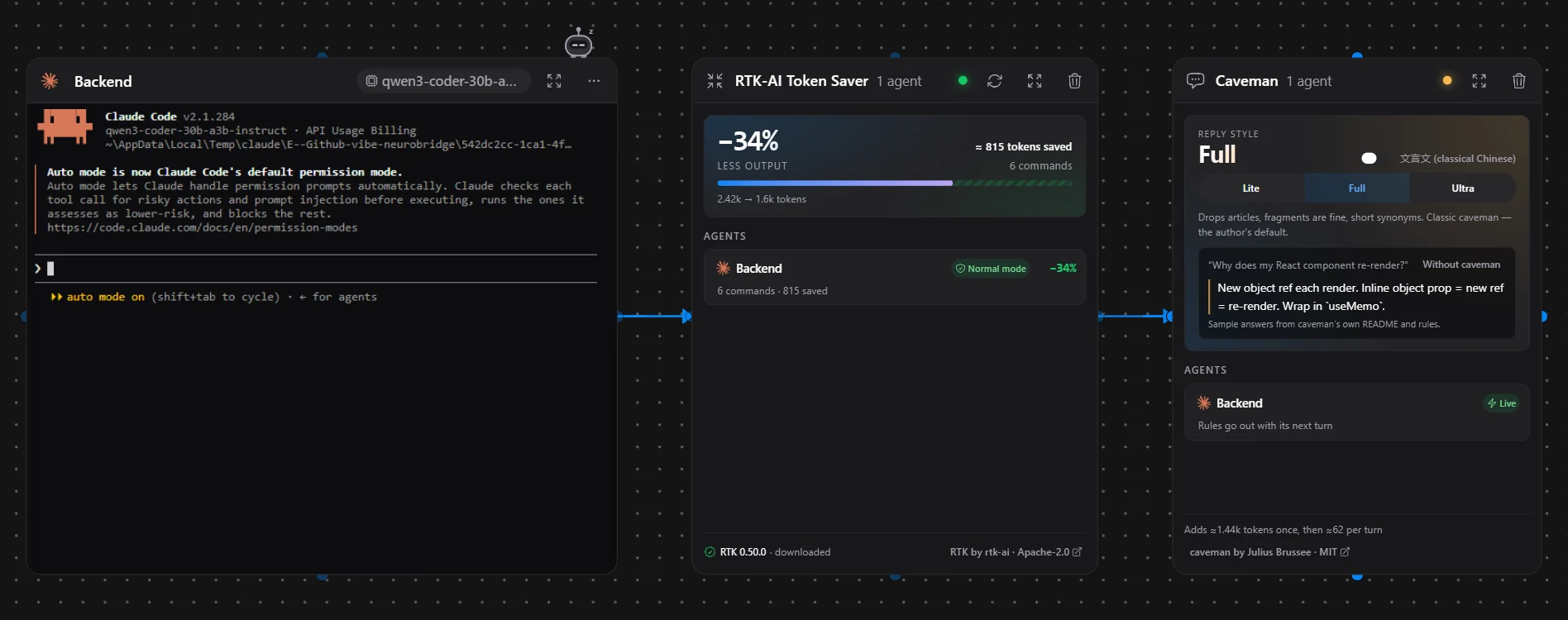
How a plugin applies live
Every agent card already starts its CLI with hooks that point at a small server inside the app, on the loopback address only. That is how a card knows the agent is working, waiting for you or finished. The CLI calls those hooks at fixed moments — before a shell command, when you submit a prompt — and until now the app always answered “no opinion”.
A plugin changes that answer. At each call the app looks at the arrows: no arrow, no change; an arrow, and the answer carries the plugin’s part. Because the CLI asks every time, the switch takes effect on the very next command or turn. Nothing is written into your CLI’s own settings or installed into it.
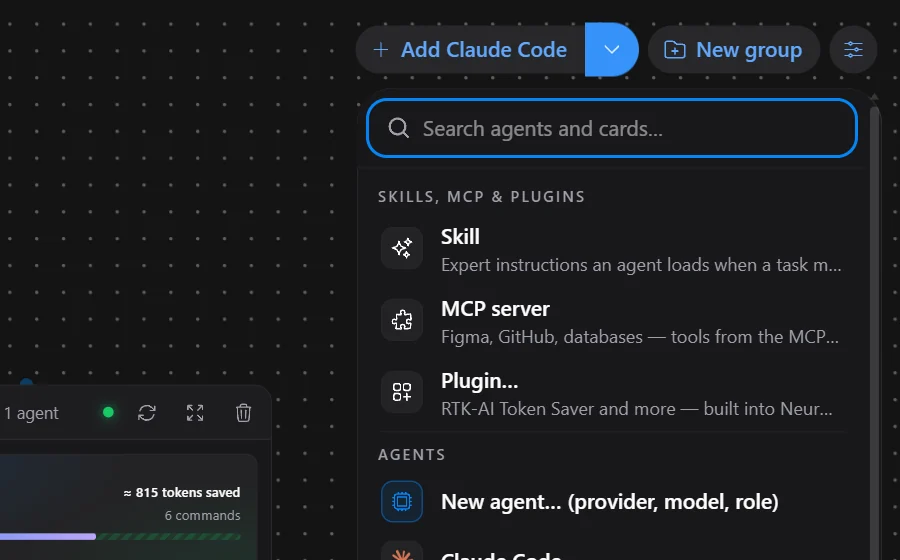
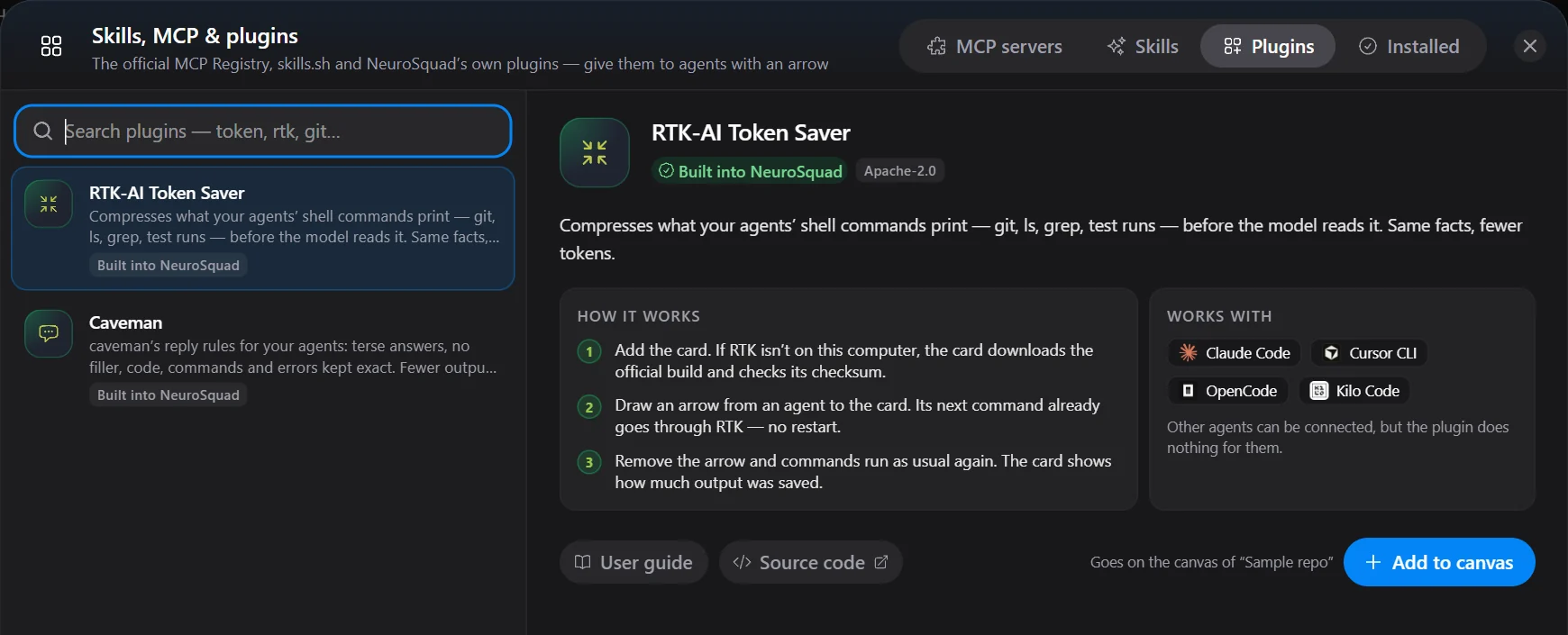
RTK-AI Token Saver
RTK is an open-source command-line tool (Apache-2.0) that runs git, ls, grep, test runners and many other commands and prints a compressed version of their output: grouped, deduplicated, failures only where that is what matters. It also decides for itself which commands it can handle, through its own rtk rewrite.
With an arrow to the card, the agent’s pre-command hook asks the app before each shell command; the app asks RTK, and git status runs as rtk git status. Only shell commands are touched — Claude Code’s own file-reading and search tools are not shell calls and stay as they are. If RTK is missing or fails, the original command runs.
Those are the numbers from one test run, and they vary a lot with the command: in the same run git log -n 3 came out 18% shorter, while git log --stat and a small grep saved nothing. The card doesn’t promise a figure; it shows the real savings of each connected agent, which RTK records in a separate database per agent.
Found on the way: no new permission prompts
The first version rewrote every command it could. Testing it in Claude Code’s normal mode showed the catch: Claude judges its permission rules, and its built-in approval of read-only commands, against the rewritten command. git status ran without a question; rtk git status asked for approval. A token saver that adds prompts is worse than none.
So in normal mode the rewrite follows a table. A command your own allow rules already cover is rewritten and allowed. A command on a deliberately short read-only list — a single git status, log, diff or show, a branch listing, ls, cat, head, tail, wc, grep, rg or find, with every path inside the project and no flags that write or run anything — is rewritten and allowed, because Claude would have allowed it anyway. A command that would ask anyway still asks, once, as before. Everything else is left alone. With the same seven commands, the test had two prompts without RTK and the same two with it. In dangerous mode RTK rewrites whatever it can. Cursor CLI, OpenCode and Kilo Code get RTK in dangerous mode only, because their approval decisions depend on rules the app can’t see.
Caveman
caveman by Julius Brussee is a set of reply rules, MIT-licensed: no pleasantries, no hedging, no recap of what was just done — while code, commands, file paths and error messages stay exact, and security warnings come back in full sentences. The plugin ships those rules unchanged, at caveman’s levels Lite, Full and Ultra plus its classical-Chinese variants.
With an arrow, the agent’s prompt hook adds the rules to its next turn: the full text once per session, then caveman’s own one-line reminder on each turn. Remove the arrow and the agent gets one note to answer normally again. It works live in Claude Code, Codex and Qwen Code.
What it saves, honestly
We ran one demonstration: Claude Code with Haiku 4.5, three similar questions in one session, the arrow drawn for the second and removed for the third. The answers went from 225 words (1,506 characters) without the arrow to 159 words (1,164 characters) with it, and back to 254 words (1,706 characters) after.
The billed output barely moved: 413, 408 and 419 tokens. The provider counts the model’s thinking as output, and caveman doesn’t shorten thinking. caveman’s author says the same and lists where it loses: the rules are extra input on every call — about 1,440 tokens once and about 62 per turn by our estimate — and on short questions they can cost more than they save. That is why the Caveman card shows no savings figure. It shows what is on, for which agents, and what the rules cost.
caveman’s repository also has a local proxy that compresses what the agent reads. We didn’t build it in. Its engine is source-available under a license that doesn’t allow offering it inside another product, and it sits in the model traffic, so a subscription login would pass through it — NeuroSquad never reads or proxies CLI credentials.
Your own model servers
Settings → Providers has a new section, Your providers: LM Studio, Ollama, Unsloth Studio, llama.cpp, vLLM, or any remote server that speaks the OpenAI or Anthropic API. You don’t pick the API. Test connection reads the model list and sends an empty request to the chat, Responses and Messages endpoints, so nothing gets loaded; a provider is saved only after a passing test.
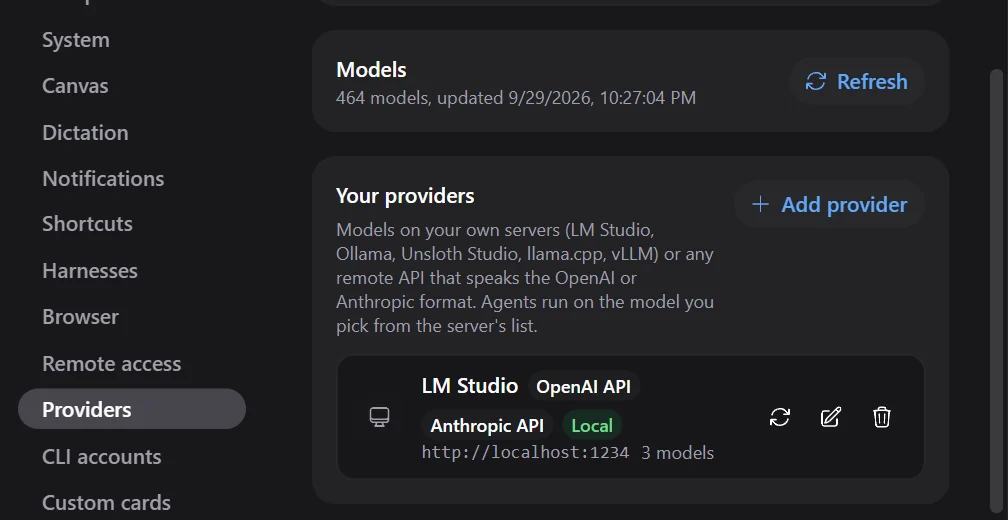
Each CLI is offered the provider when the API it needs is there: Claude Code needs the Anthropic API, Codex the OpenAI Responses API, most others work with either — fifteen CLIs in all. Cursor, Amp and Auggie can’t: their models run only on their vendors’ servers. A key, if the server wants one, is encrypted by the operating system and reaches the agent only through its environment. One thing we found while testing: with no key at all, Claude Code falls back to your own Anthropic login and would send that token to the local server. So the app always sends a placeholder instead.
Dangerous mode without a restart
Claude Code cards used to get dangerous mode as a launch flag, and that flag can’t be taken back in the middle of a session. Now every Claude card has a hook that Claude calls only when it is about to show a permission dialog. While dangerous mode is on, the app answers “allow”; while it is off, the dialog appears as usual. It applies to the next approval, both ways, in the same session. Checked live: a touch asked for permission, ran without asking once the toggle was on, and asked again once it was off. Other CLIs still read dangerous mode at launch; their cards now offer Restart now, which keeps the conversation.
Tell us what’s missing
“Suggest an idea” and “Report a problem” in the account menu open the new Ideas and Issues boards at app.neurosquad.ai, with your app version and OS already filled in.
The plugin pages are RTK-AI Token Saver and Caveman; the full list of changes is in the 0.1.160 changelog.