Nineteen agent CLIs, one depth of integration
Launching a CLI in a terminal is the easy tenth of an integration. The rest is statuses, sessions, tools and interruption — and every CLI needs a different way in.
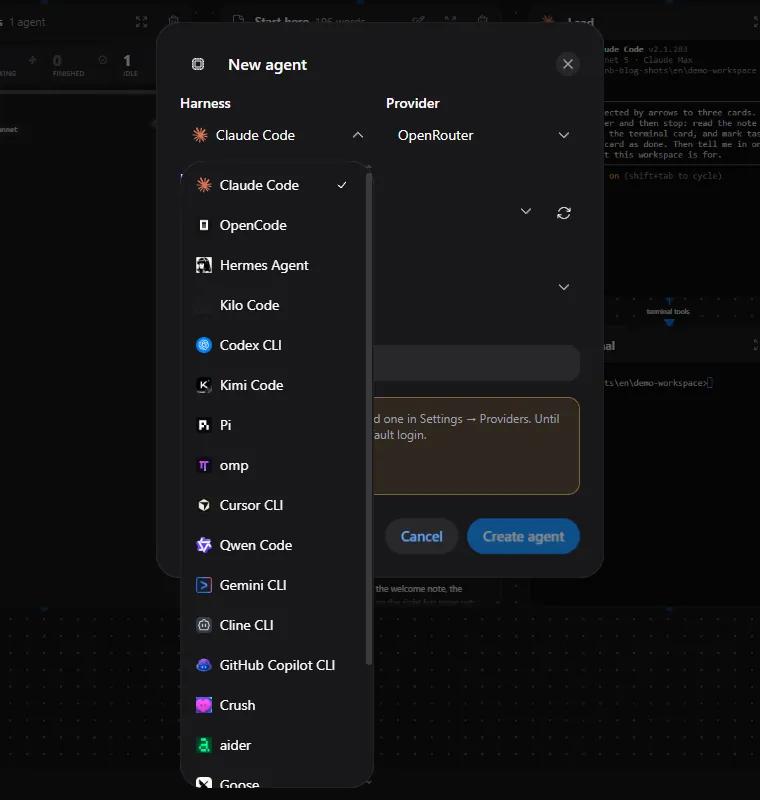
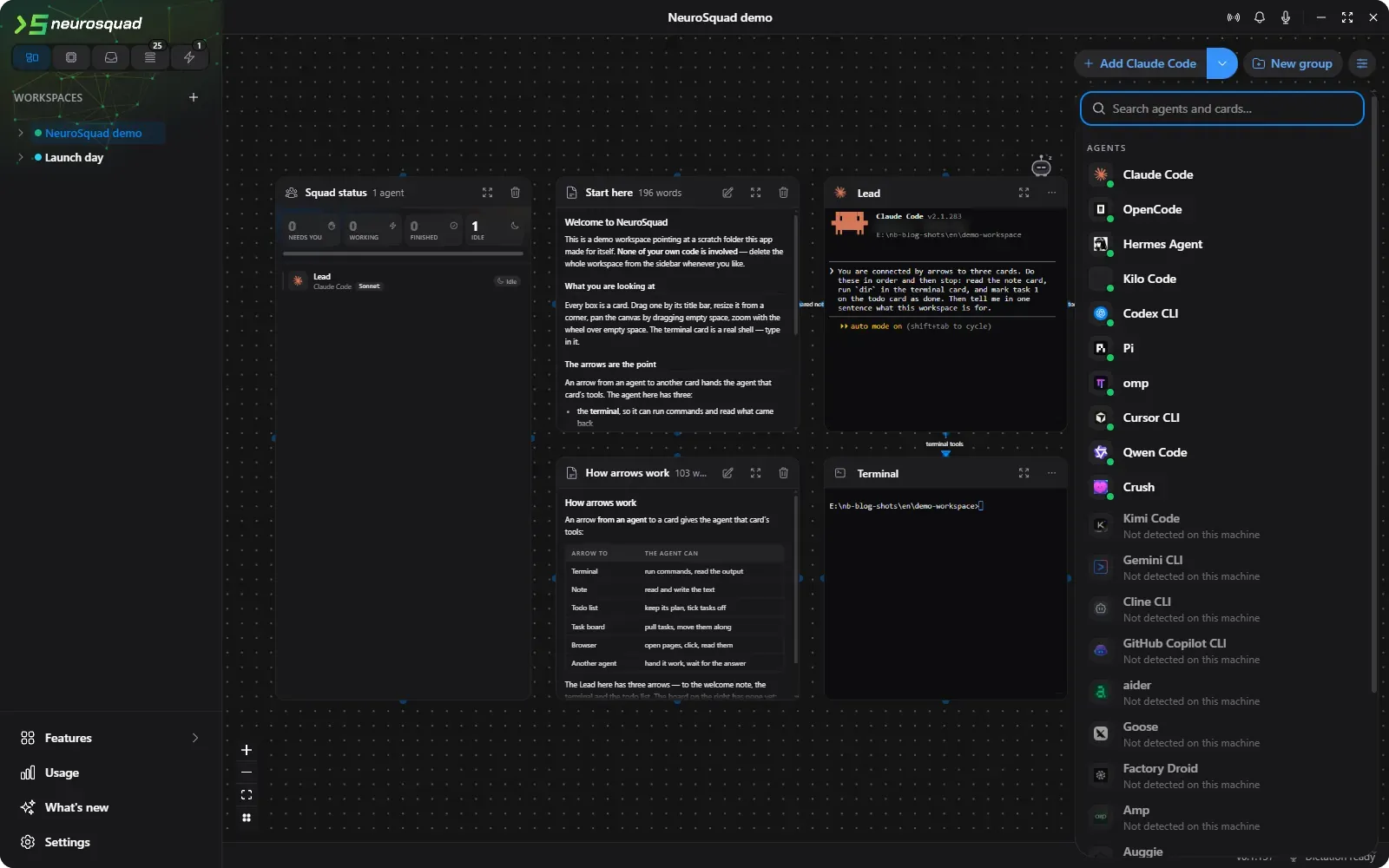
NeuroSquad 0.1.137 adds nine agent CLIs — Gemini CLI, GitHub Copilot CLI, Amp, Factory Droid, aider, Goose, Kimi Code, Cline and Auggie — and brings Cursor CLI and Crush up to the same level as everyone else. That makes nineteen, and for the first time “supported” means the same thing for all of them.
Three days ago it did not. The first release ran ten CLIs in cards, but only Claude Code was integrated deeply: its statuses came from its own hooks, its session resumed after a restart, it got tools over arrows. The others ran in a terminal and were mostly watched by a heuristic. This post is about closing that gap, in three releases within a day.
1 at Claude Code’s depth
10 runs in a card
- Claude Code
- Hermes Agent
- OpenCode
- Codex CLI
- pi
- omp
- Kilo Code
- Qwen Code
- Cursor CLI
- Crush
- Gemini CLI
- GitHub Copilot CLI
- Amp
- Factory Droid
- aider
- Goose
- Kimi Code
- Cline
- Auggie


What “the same depth” means
We wrote down everything the app does for Claude Code as a checklist of about forty capabilities, and every CLI gets its own document that goes through that list row by row. Each row is one of three things: native (the CLI has it and the app uses it), emulated (built from another mechanism of that CLI, and how), or impossible — with the proof, usually a line of the CLI’s own source.
The rows that matter most to someone using the canvas:
- Session resume: restart the app or the card, and the agent continues the same conversation.
- Precise statuses: working, needs you, finished — from the CLI’s own events, with the text of what it is asking.
- Tools over arrows: the app’s MCP tools, plus connected MCP servers and skills.
- Canvas mode: the agent works through cards (a terminal for commands, a browser for the web) instead of its own built-in tools, and that holds even in dangerous mode.
- Safe interruption by the budget brake, without losing the session.
- Usage and model per card, the context meter and compaction, auto-continue after a rate limit.
Every CLI needs a different way in
The checklist is the same; the mechanism almost never is. For Claude Code, the app passes a settings file on top of yours, and its hooks report every state change with one curl line. Here is how some of the others got there.
OpenCode gets a plugin — one file for all cards — that reports its session status and permission requests. Its config goes through one environment variable, chosen by elimination: the variable for inline JSON was already carrying OpenRouter attribution headers, and two writers of one variable overwrite each other; the variable for a config directory would have hidden your global instructions file. Interrupting it needed care too: Ctrl+C in OpenCode with an empty input closes the app, and the budget brake used to send exactly that. It now presses Escape twice.
Hermes Agent reads an administrator-level config layer, which the app points at a file of its own per card, merged over yours leaf by leaf. A live test found that its interactive mode connects MCP servers only if they are in your raw config — so the card types /reload-mcp itself once the prompt is ready, and the first prompt waits for “Agent updated” before it is inserted. Another finding: when the model provider fails, Hermes never sends its end-of-session event, and the card sat on “working” forever; while a turn is open, the app now also watches the terminal for the provider errors Hermes prints.
Gemini CLI has a system settings path, like its fork Qwen Code, but it only loads that file if it is owned by the administrators and not writable by users. A file in the app’s folder is skipped with a security warning. What Gemini does honour is a home folder override, so every Gemini card runs with a home of its own, holding its settings layer — and everything else from your real ~/.gemini, sessions and login included, linked in with junctions. A card’s session is your session: gemini --resume works from a plain terminal and back.
aider has no MCP client, no hooks and no plugin API. It is a Python program, though, and Python imports a sitecustomize module from the path before anything else. An aider card starts with one folder first on PYTHONPATH whose module patches six aider modules as they load — each patch guarded, so if a later aider renames a method only that one feature switches off — and then removes its own variables, so nothing aider starts inherits them.
Kilo Code by default attaches to a running Kilo daemon instead of starting its own worker, and the daemon has its own environment — so a card would silently lose its config, its tools and its MCP token. Every Kilo card now starts with the switch that turns attaching off. Codex CLI used to survive stopping its card: the npm shim died and codex.exe lived on. The card now starts the real executable directly.
“Impossible” is an answer too
Some rows cannot be filled, and saying so is part of the work. Several CLIs — Auggie, Droid, Goose, Kimi — do not let the caller choose a session id; the app captures the id they mint and resumes by it instead. Auggie has no compact command, because it summarizes history on its own when the window fills; its card simply has no Compact button. Cline reads a server’s tool list once, when its session starts, and nothing refreshes it — so an arrow drawn mid-session takes effect at the next start, and the docs say so.
Kimi Code has the same limitation, and there it is emulated: a Kimi card is offered every built-in tool group from the start, and the arrows decide at call time whether a call is allowed. A note card spawned in the middle of a session was written to in that same session.
Amp is the most honest case. Its agent loop — model calls included — runs on Amp’s servers; the local CLI only executes tools. So OpenRouter and its attribution are impossible for Amp, and everything the app does around it was verified against a local fake of Amp’s server.
How it was tested
Every CLI was installed into a scratch folder, never globally, and run by a separate build of the app with its own profile and a scratch home folder, so no real config of anyone’s was read or written. Most were pointed at a small scripted model server on the loopback interface — one that answers “PING”, calls tools, stalls for fifteen seconds, returns 429 — so rate limits, stalls and permission prompts could be produced on demand instead of waited for.
The same server recorded request headers, which is how OpenRouter attribution was checked: every CLI that talks to OpenRouter now sends NeuroSquad’s headers, including cards on the CLI’s own OpenRouter login, and each one was measured on an intercepting server, not taken from documentation.
Two smaller fixes rode along the way: Kilo Code cards no longer lose their settings to a shared daemon, and Qwen Code’s token for the app’s MCP server is no longer written to disk. The full lists are in the changelog for 0.1.128, 0.1.133 and 0.1.137.