Code Graph and Context7: agents that look things up instead of guessing
Agents spend turns grepping through code they could simply ask about, and write against library APIs as the model remembers them. NeuroSquad 0.1.230 adds two plugins for that: Code Graph, a map of your code, and Context7, documentation from today.
Watch an agent work in a repository it doesn’t know. To answer “who calls this function?” it greps for the name, opens a file, greps again with a different pattern, opens two more files — every step a turn of its own, every file read filling its context. Then it writes code against a library, and the API it uses is the one the model remembers from its training data, which may be a version or two behind the one in your package.json.
NeuroSquad 0.1.230 adds two plugin cards for exactly these two habits. Code Graph keeps a knowledge graph of the workspace’s code that agents query instead of searching through files. Context7 fetches current, version-specific documentation for the library an agent is about to use. Like every plugin, each is a card on the canvas, and an arrow from an agent is what lets it use one.
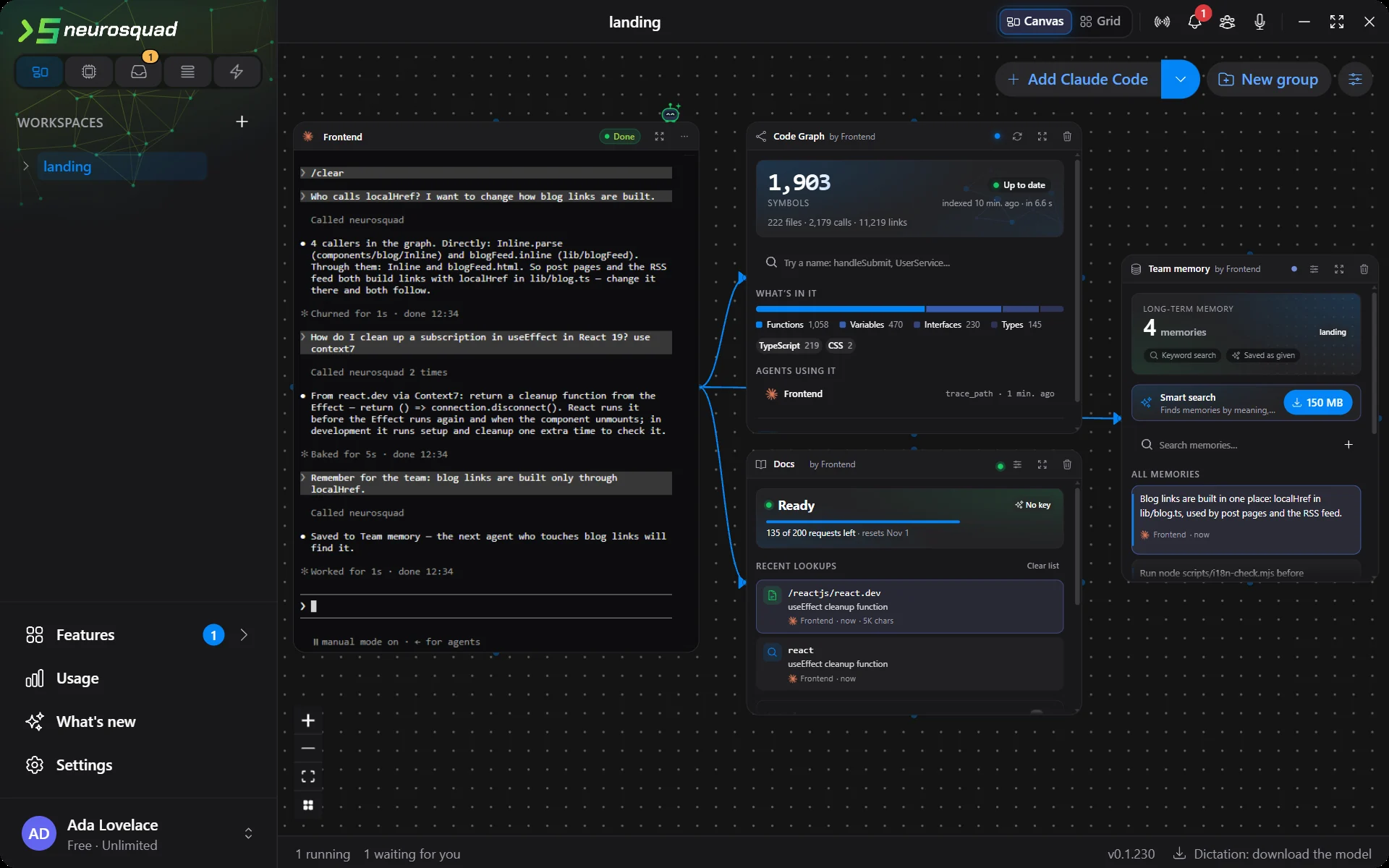
localHref from the graph, the cleanup rule from react.dev through Context7, a note saved for the next agent. The agent runs against a scripted local model for this screenshot; the graph, the Context7 answers and the memory are the real app.A map of the code instead of grep
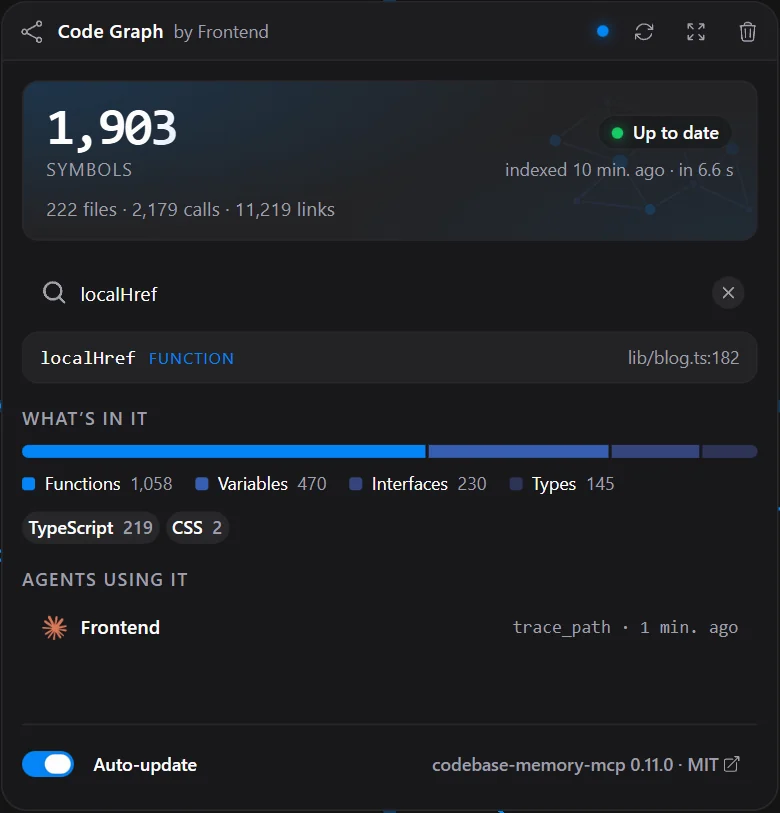
Code Graph is built on codebase-memory-mcp, an open-source (MIT) engine that parses a project with tree-sitter and stores what it finds — functions, classes, variables, calls, imports, routes — as a graph. Draw an arrow from an agent to the card and the agent gets 12 tools: codegraph_search_graph to find symbols by name or meaning, codegraph_trace_path to follow callers and callees, codegraph_get_code_snippet, codegraph_get_architecture, codegraph_query_graph for read-only graph queries, and a few more, down to codegraph_reindex. A question like “who calls localHref?” becomes one call that returns the four functions that reach it, two of them directly — not a chain of greps.
For the screenshots we indexed a copy of our own landing site: 222 TypeScript files, 1,903 symbols, 2,179 calls. The first build took 29 seconds on this machine, including the engine’s start; a later re-index, 6.6 seconds. The card shows those figures, what the code is made of, a name search, and which agent called which tool.
Fresh without asking
A graph that lags behind the code is worse than none, so the card keeps it current. It watches the folder and re-indexes a few seconds after the last change; a stale graph is also refreshed when a connected agent finishes a turn, and once per app run in case files changed while the app was closed. A query that lands during an update says so in its answer. With auto-update off, the card shows “Files changed” and an Update now button.
What it costs
The engine is one self-contained program per platform. The card downloads it once — about 40 MB, about 300 MB unpacked — and checks it against a SHA-256 pinned in the app before anything runs. It runs on your computer with no account and no telemetry, and your code never leaves the machine. Its index lives in the app’s data folder: nothing is written into your repository or your home folder, and we checked both before and after a run.
Documentation from today, not from training
Context7, by Upstash, indexes the documentation of a large number of open-source libraries and serves the parts that match a question. The card gives an agent its two tools: context7_resolve_library_id turns a name like “react” into a library id, and context7_query_docs returns the snippets for that library and question, each with a link to its source. Context7 ships as an MCP server that needs Node; the app makes the same two requests itself instead, so there is nothing to install and no extra process to run.
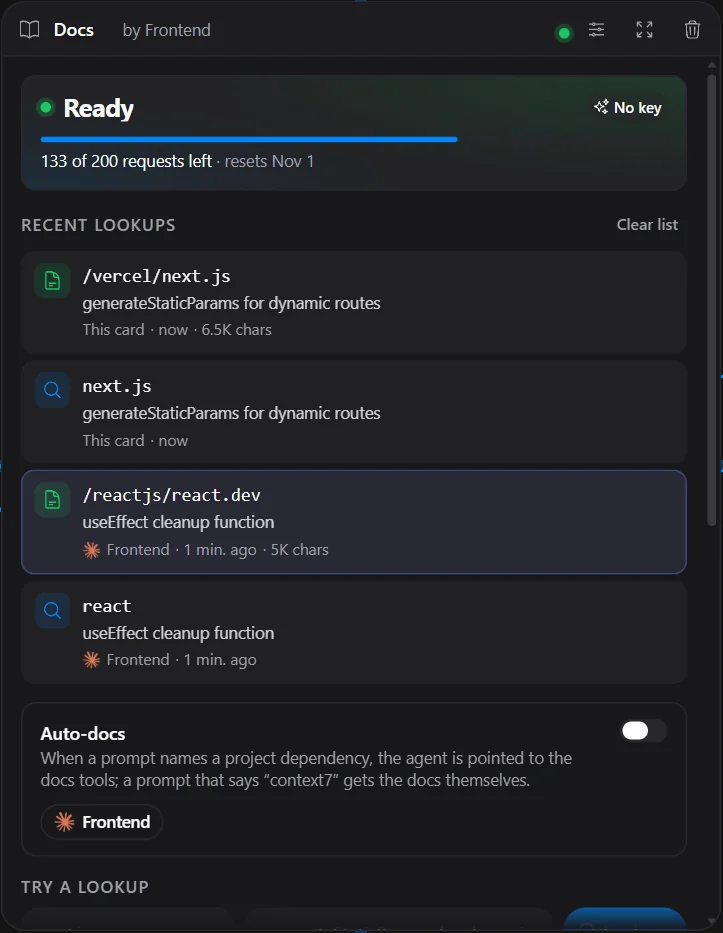
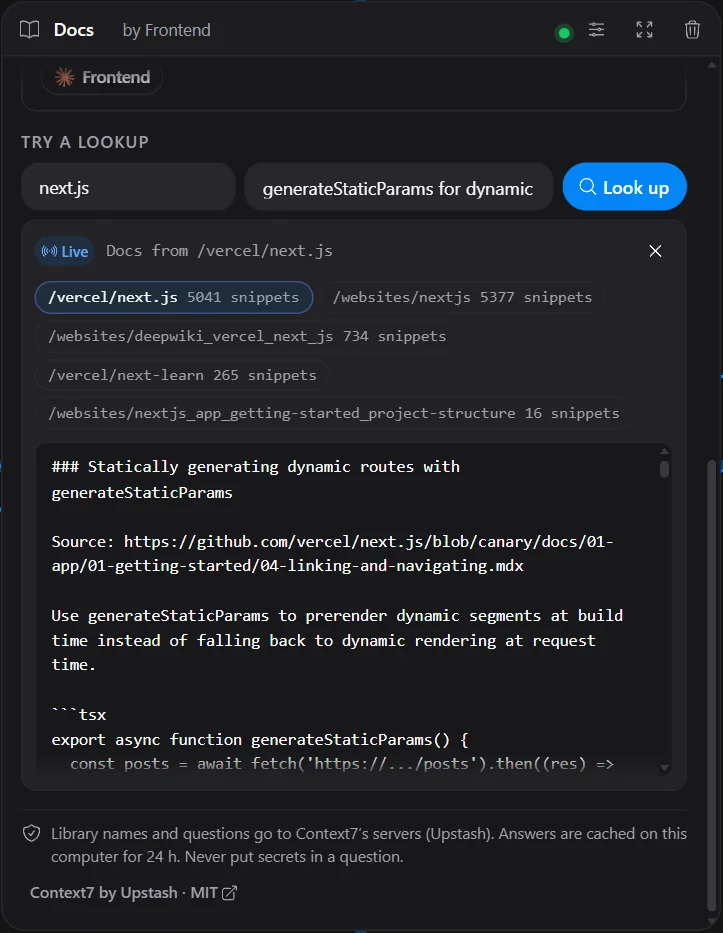
Answers are cached on your computer for 24 hours, so the same question from a second agent costs nothing, and identical requests running at the same time share one fetch. Try a lookup at the bottom of the card runs the same search by hand: a library, a question, the matching libraries and the docs of the best one.
Auto-docs, a switch on the card that is off by default, takes the remembering out of the agent’s hands. When your prompt names a dependency of the project — read from package.json, requirements.txt, pyproject.toml, Cargo.toml or go.mod — the agent’s turn gets a short pointer to the docs tools with the version you declared. When the prompt also says “context7”, the docs themselves are added if they arrive in time. Prompts are not sent to Context7 just because they name a library: that would spend the monthly quota without being asked.
Limits, plainly
- 200 requests a month without a key. Context7’s anonymous quota is per IP address, so other tools on the same network count against it too. When it runs out, the card says so and the tools stop sending requests until the reset — a looping agent can’t make it worse — while cached answers keep working. A free key from Context7 raises the limit; it is stored encrypted and sent only in the request header.
- What leaves your computer. The library name and the question go to Context7’s servers. Your code does not, but don’t put secrets in a question. The card says this under the lookup box.
The arrow decides
Both plugins follow the rule of every card on the canvas: an arrow is access. Draw it, and the agent gets the tools — most agent CLIs pick them up without a restart. Remove it, and they are gone. Codex, Kimi Code, Cursor and Crush read their tool list once at start, so for them the tools are always listed and the arrow decides whether a call goes through. Both plugins work with every agent CLI in NeuroSquad that supports MCP. In the screenshot the agent is also wired to Memory, from the previous release, and saves what it learned for the next agent.
In WSL and over SSH
Since 0.1.214 a workspace can live in a WSL distro or on an SSH host. Code Graph has to read the files, so there the engine runs where the code is. On Linux for x86-64 or ARM64 the card copies the verified archive over on the first index — about 40 MB, not the unpacked engine — checks the hash again on the other side and unpacks it into the app’s own folder on that machine, where the index stays too. Your home folder and repository there are not touched, and the engine stops when you quit. A host running macOS gets “No engine build for this host”.
A WSL folder on a Windows drive is watched as usual. On the distro’s own disk and over SSH there are no cheap file events, so the graph is refreshed at the end of a connected agent’s turn and on demand. Memory and Context7 need nothing on the other machine: they run in the app on your computer and reach an agent in WSL or on an SSH host through its arrow, like every other tool. Auto-docs reads the project’s manifests on that machine.
Each plugin has its own page — Code Graph, Context7 and Memory — and a guide in the docs: Code Graph and Context7. The full list of changes is in the 0.1.230 changelog.